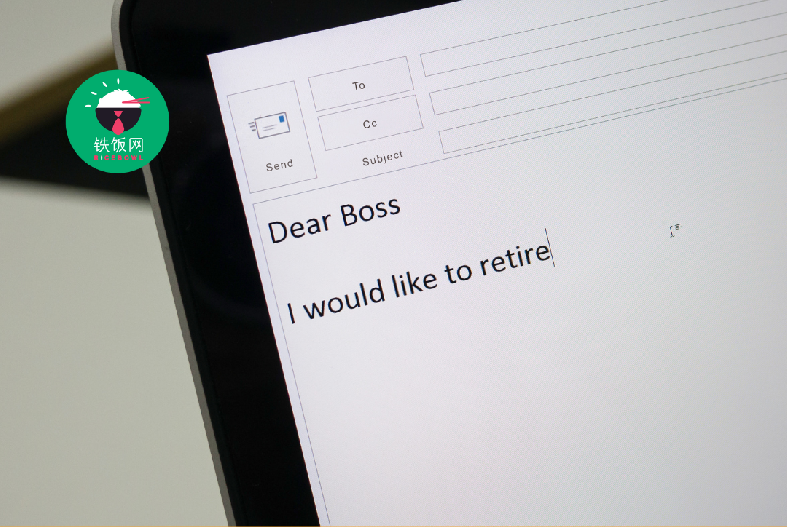
Writing an impressive email that conveys your message clearly and professionally is crucial. Here are some tips for writing clear and concise emails and avoiding common email mistakes.
Tips for Writing Clear and Concise Emails
Keep It Short:
Keeping your emails short and to the point can help ensure your message is not lost in lengthy paragraphs. Focus on the essential information and limit your email to one or two paragraphs.
Example:
Dear John,
I am following up on our conversation last week regarding the new project. I need the updated timeline from you by Wednesday at the latest. Please let me know if you have any questions or concerns.
Best, Sarah
Use Bullet Points:
Bullet points help to organize your thoughts and make your email easier to read. Use bullet points to highlight key points, action items, or important details.
Example:
Hi Tom,
I am updating you on the progress of our project. Here are the main points:
Completed stage 1 of the project on time and under budget
Stage 2 is scheduled to begin next week
We are still waiting on approval for the budget from the finance department
Let me know if you have any questions or concerns.
Best, Mike
Avoid Jargon:
Using industry-specific jargon or technical terms can make your email more difficult to understand. Use simple, straightforward language instead.
Example:
Hi Susan,
Thank you for the update on the RFP. Please provide more details on the technical requirements for the proposal. I want to ensure that our team fully understands the needs before we begin drafting our response.
Best, David
Proofread Your Email:
Always proofread your email before hitting send. Look for spelling and grammatical errors and ensure your message is concise. Reading your email out loud can help you identify any issues.
Example:
Hi Karen,
I am confirming the details of our meeting tomorrow. We are meeting at the downtown office at 10:00 am.
Best, Jack
Keep Your Tone Professional:
Maintaining a professional tone when writing emails is essential, especially when communicating with colleagues, clients, or potential employers. Avoid using slang, casual language, or inappropriate jokes or comments.
Example:
Dear Mr. Smith,
Thank you for considering my application for the marketing manager position. I am excited to discuss my qualifications further in an interview.
Please let me know if you need any additional information from me.
Best regards, Emily
Common Email Mistakes to Avoid
Not Checking the Recipient List:
Sending an email to the wrong person can be embarrassing and unprofessional. Always double-check the recipient list before hitting send.
Example:
Dear Mary,
I hope this email finds you well. I'd like to discuss the marketing plan for the new product launch. Can we schedule a call to go over the details?
Best, Jane
(Sent to the wrong Mary)
Forgetting the Subject Line:
The subject line is an essential part of the email and helps the recipient understand the message's purpose. You need to include a subject line or use a vague subject line to avoid your email being overlooked or ignored.
Example:
Hi,
(Forgot to include the subject line)
Using Abbreviations or Texting Language:
Using abbreviations or texting language can make your email appear unprofessional and difficult to read. Use proper grammar and spelling, and avoid using shortcuts or informal language.
Example:
Sup, (Using informal language)
Failing to Proofread:
You need to proofread your email to ensure you look professional. Spelling and grammar errors can make your email difficult to understand and give the impression that you need to be more detail-oriented.
Example:
Hi,
I am following up on the project status. Are there any updates you can share with me?
(Before proofreading: "I wanted to fellow up on the porject statu. Are there any updats you can shre with me?")
How to Use Email Etiquette for Professional Communication
Using proper email etiquette is essential when communicating in a professional setting. Here are some tips to help you communicate effectively and professionally through email:
Use a Professional Email Address:
When sending professional emails, it is important to use a professional email address. Avoid using personal email addresses or email addresses that include slang or inappropriate language.
A clear and descriptive subject line can help the recipient understand the purpose of the email and increase the likelihood that they will open and read your message.
Example:
Good subject line: Meeting Request for Project Update
Bad subject line: Urgent
Address the Recipient Appropriately:
Address the recipient appropriately based on their position and relationship to you. For example, use "Dear Mr./Ms. Last Name" for formal communication and "Hi First Name" for informal communication.
Example:
Formal: Dear Ms. Johnson,
Informal: Hi Jane,
Keep Your Message Professional:
Avoid using informal language, slang, or humor in professional emails. Keep your message clear, concise, and professional.
Example:
Dear John,
Thank you for your email. I appreciate your interest in our company. Please find attached the requested information. Let me know if you have any questions or need further assistance.
Best regards, Samantha
Use Proper Grammar and Spelling:
Using proper grammar and spelling is essential when writing professional emails. Poor grammar and spelling can make you appear unprofessional and may lead to misunderstandings.
Example:
Before: "Hey dude, can u send me that report asap?"
After: "Hello John, could you please send me the report as soon as possible?"
Strategies for Writing Effective Subject Lines
A subject line is the first thing the recipient sees when they receive your email. An effective subject line can help grab their attention and encourage them to open and read your message. Here are some strategies for writing effective subject lines:
Keep It Short and Specific:
A subject line that is too long or vague may be overlooked by the recipient. Keep your subject line short and specific to the content of your email.
Example:
Good subject line: Request for Proposal Deadline Extension
Bad subject line: Urgent Request
Use Action-Oriented Language:
Using action-oriented language can encourage the recipient to take action and respond to your email.
Example:
Good subject line: Please Approve Marketing Budget Proposal
Bad subject line: Marketing Budget
Make It Personalized:
Personalizing the subject line can help make your email stand out and increase the likelihood that it will be opened and read.
Example:
Good subject line: Congratulations on Your Recent Award!
Bad subject line: Congratulations
Avoid Using All Caps or Excessive Punctuation:
Using all caps or excessive punctuation can make your email appear unprofessional and may even be interpreted as shouting.
Example:
Before: "URGENT: PROJECT UPDATE!!!!"
After: "Project Update: Urgent Request"
Techniques for Crafting Persuasive Email Content
Crafting persuasive email content is essential when communicating effectively and achieving your desired outcome. Here are some techniques for crafting persuasive email content:
Use a Clear and Concise Writing Style:
A clear and concise writing style can help make your email easier to read and understand. Avoid using jargon or complex language that the recipient may not understand.
Example:
Before: "We have identified multiple areas in which your current business processes are inadequate, and we believe that our software can provide a solution that is both comprehensive and user-friendly."
After: "Our software can improve your business processes in multiple areas. It's comprehensive and easy to use."
Focus on Benefits, Not Features:
When writing persuasive email content, please focus on the benefits of your product or service rather than its features. This can help the recipient understand how your product or service can help them.
Example:
Before: "Our new software has a variety of features, including task management, time tracking, and project collaboration."
After: "Our new software can help you streamline your work, increase productivity, and improve team collaboration."
Use Social Proof:
Social proof can help establish credibility and increase the recipient's trust in your product or service. Include customer reviews, case studies, or statistics to support your claims.
Example:
"Over 90% of our customers have reported increased productivity and efficiency after using our software. Here's what one customer had to say: 'The software has saved me hours of work each week and has improved communication with my team.'"
Include a Clear Call-to-Action:
Including a clear call-to-action can help the recipient understand what you want them to do after reading your email. Use action-oriented language and be specific about what you want them to do.
Example:
"Click here to sign up for our free trial and experience the benefits of our software for yourself."
Personalize Your Message:
Personalizing your message can help establish a connection with the recipient and increase the likelihood that they will respond positively to your email. Use their name and refer to their specific needs or interests.
Example:
"Hi John, I noticed you're interested in improving team collaboration. Our software can help you achieve this goal by providing a user-friendly platform for project collaboration and communication."
FAQs when Writing and Sending an Email
Writing and sending an email can seem straightforward, but many nuances must be considered. Here are some frequently asked questions and their answers to help you communicate more effectively via email.
Q: How long should an email be?
A: An email should be as long as necessary to communicate your message clearly and concisely. Remember that many people receive many emails daily so a lengthy email may receive less attention. As a general rule, aim to keep your emails under 300 words.
Q: How can I ensure my email is professional?
A: To ensure your email is professional:
Use proper grammar, spelling, and punctuation.
Address the recipient by name and use a formal tone.
Avoid using slang, emojis, or excessive exclamation points.
What should I include in the subject line?
The subject line should be concise and give the recipient a clear idea of what the email is about. Avoid using vague or generic subject lines like "Hi" or "Important". Instead, use specific subject lines that summarize the content of the email, such as "Meeting Request: Budget Review".
Q: How can I make sure my email is read?
A: To increase the likelihood that your email is read:
Keep the subject line specific and compelling.
Use a clear and concise writing style, and get to the point quickly.
Use headings and bullet points to break up the text, and keep the overall length of the email as short as possible.
Q: How do I handle a difficult or sensitive topic?
A: Diplomacy and empathy are essential when handling a difficult or sensitive topic. Use neutral and objective language, and avoid using emotional or confrontational language. Provide context and background information to help the recipient understand the situation, and offer possible solutions or alternatives.
Q: What should I do if I receive an angry or hostile email?
A: If you receive an angry or hostile email, it's important to remain calm and professional. Avoid responding immediately, and take some time to gather your thoughts. When you do answer, use a neutral and objective tone and address the specific issues raised in the email. If the email is particularly inflammatory, consider speaking to the sender in person or over the phone to resolve the issue.
Following these guidelines and addressing common concerns and questions when writing and sending emails, you can communicate more effectively and avoid potential miscommunications.